Skip to the page
Lathe

Lathe guide

The Lathe guide

Everything Lathe does, one task at a time: setting it up, recording, arranging, mixing, sharing a song and working with an AI assistant. New to Lathe? Start with Getting started, then A tour of the window.

All pages
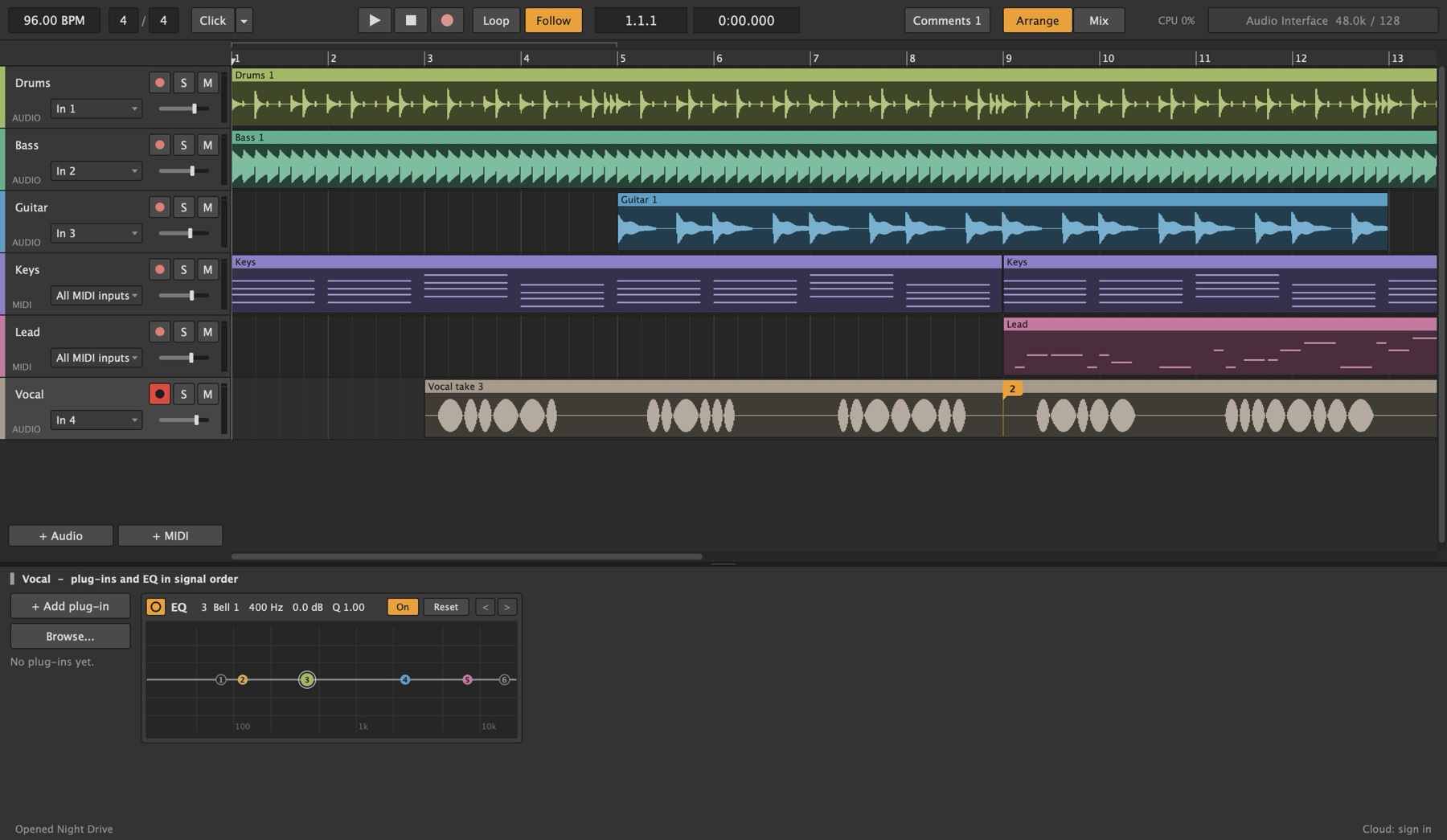
Lathe with the Night Drive demo song open: the transport along the top, tracks and clips in the middle, and the selected track's plug-ins and EQ at the bottom.

Start here

PageWhat's in it
Getting startedInstalling, the first launch, your audio interface, plug-ins and templates
A tour of the windowWhat each part of Lathe's window is for

Make a song

PageWhat's in it
ArrangingTracks and clips: selecting, moving, copying, splitting and joining, the loop, track groups
RecordingArming, count-in, latency, recording one track into another, recording a note generator
MIDI and the piano rollWriting and editing notes, importing and exporting MIDI files
Instruments and effectsLathe's own synths, drums and effects, your VST3 plug-ins, and the plug-in browser
MixingThe mixer, routing, sends and returns, group buses, monitor mixes and the channel EQ
Compare and Undo HistoryHearing what a change did, and going back to any step
ExportingMixes and stems in WAV, AIFF, FLAC, MP3 or Ogg

With other people

PageWhat's in it
Lathe CloudSharing songs, push and pull, history, comments, invite and listening links
The AI assistantLetting an AI app read, play, build and mix your session
Note notationThe short text form the assistant writes and reads parts in

Reference

PageWhat's in it
Keys and mouseEvery shortcut in one table
PerformanceProcessing cores, buffer size, the CPU meter and the benchmark
Project filesWhat's in a project folder, saving, autosave and recovery
Updating LatheLathe Patcher and the automatic update check

For contributors

These pages are about Lathe's code rather than using it, and live on GitHub: the code map, multi-core audio and a planned refactor, explicit state machines.

These pages live with Lathe's code: a change that alters how Lathe behaves updates its page in the same commit. The pictures are drawn by Lathe itself from a demo song each time the site is published, so they always show the current version.

This page is docs/README.md in Lathe's source, and changes with the app.