Export the song
File > Export Audio (Cmd/Ctrl+Shift+E).
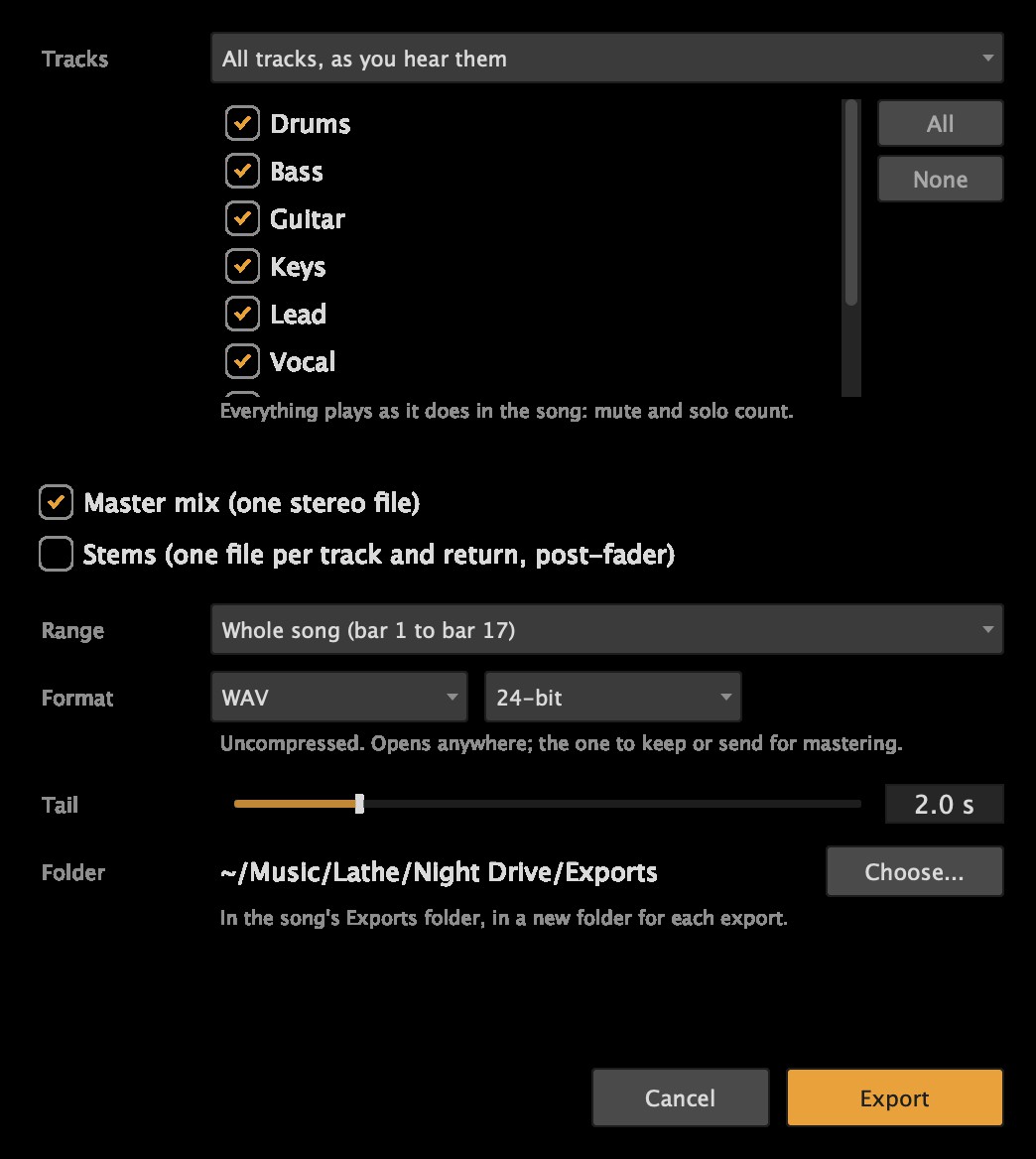
- Tracks: all tracks as you hear them (mute and solo count), or only the tracks you tick.
- Master mix writes one stereo file. Stems write one file per track and return, after the fader. Tick either, or both.
- Range: the whole song, or the loop.
- Format and its quality (see below).
- Tail: extra time after the end, so a reverb or delay can ring out.
- Folder: where the files go.
Stems line up sample for sample with the mix, so they drop into another program in time. Silent stems are skipped.
Formats
| Format | Options | Use it for |
|---|---|---|
| WAV | 16-bit, 24-bit, 32-bit float | Anything: mastering, another DAW, archiving. The safe default. |
| AIFF | 16-bit, 24-bit | The same audio as WAV, for apps or people that ask for AIFF. |
| FLAC | 16-bit, 24-bit | Lossless: identical to WAV when decoded, at about half the size. Not every app opens it. |
| MP3 | 320, 256, 192, 128 kbps (constant) | Sending a mix to listen to. Some detail is lost, so don't master or edit from it. Tagged with the file's name; plays back gaplessly. |
| Ogg Vorbis | 320, 256, 192, 128 kbps (on average) | Like MP3, and sounds better at the same size, but fewer players open it. |
There's no AAC (.m4a): its encoders are either patent-licensed or tied to one platform. MP3 stops at 48 kHz, so a song at 88.2 or 96 kHz becomes a 44.1 or 48 kHz MP3.
Where the files go
By default, into the song's Exports folder, in a new folder each time, named after the song and the date.
To use a folder of your own (your Desktop, a shared drive), click Choose.... The files then go straight into it, and Lathe remembers it for your next export. Use the song's Exports folder switches back.
Lathe never replaces a file that's already there: a second export of the same song is saved as Song (2).wav.
One track, or a few
Right-click a track's name > Export This Track... to export just that track, or every selected track: a mix of only those tracks, and/or a file per track. A group's header has Export This Group....
MIDI
To export notes rather than sound, see MIDI files.
Sharing a mix to listen to
To send a mix to someone without sending a file, share a listening link from Lathe Cloud: they play it in a browser and can leave comments at moments in the song.
The AI assistant can export too, to a folder you name, and tells you each file's length and the mix's loudness: see The AI assistant.