Compare
View > Compare (Cmd/Ctrl+K). Compare keeps up to three versions of the mix that play in step, and you switch between them without losing your place.
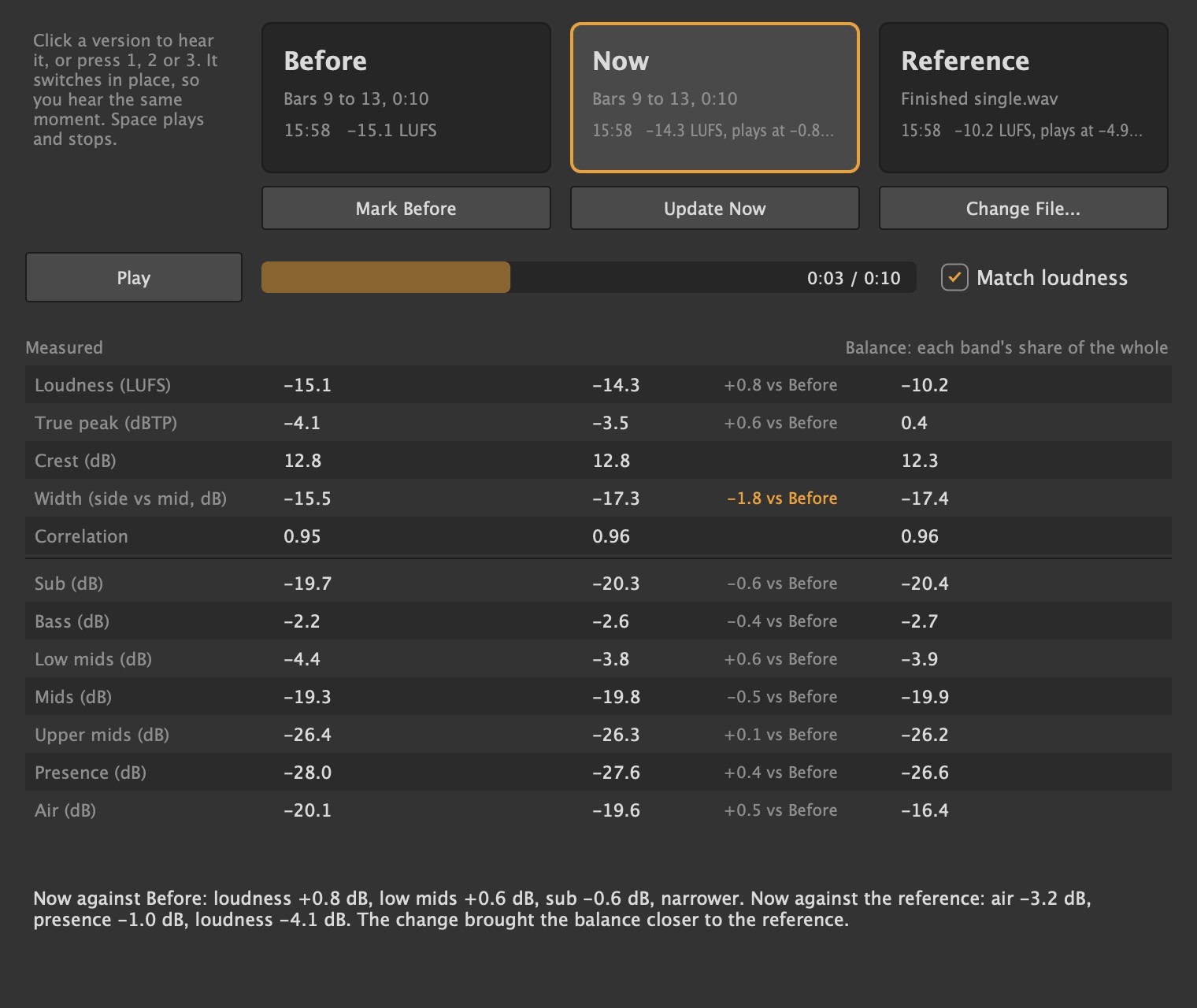
- Before: press Mark Before (or ask the AI assistant to) and Lathe renders the mix as it is.
- Now: change the mix, then press Update Now. It covers the same bars as Before.
- Reference: a finished track you'd like yours to sit next to. Choose it, or drop the file on the window. Lathe remembers it for the song on this computer; it isn't part of the song or shared.
Versions render over the loop if it's on, otherwise the whole song. While a version renders (or the reference loads), its button turns into Cancel, and Escape does the same. Whatever that version was before stays as it was. If the AI assistant started it, it's told you cancelled.
Listening
- Click a version, or press 1, 2 or 3, to hear it. Space plays and stops while the window is in front.
- Match loudness (on by default) plays them all at the loudness of the quietest, so the louder one doesn't win just for being louder.
The measurements
Under the versions, each one is measured: loudness, true peak, crest, width, correlation and the balance across seven bands, with Now's difference from Before, and a line on the biggest differences.
Undo and redo
Cmd/Ctrl+Z undoes, Cmd/Ctrl+Shift+Z redoes. Undo covers clips and notes, tracks, returns, groups, plug-ins, routing, sends, names, tempo, and fader, pan, send level and channel EQ moves. Everything the AI assistant changes in one go is a single step.
Undo History
Edit > Undo History (Cmd/Ctrl+Alt+Z) lists every step: what it changed, who made it (you or the AI assistant, in its own words) and when.
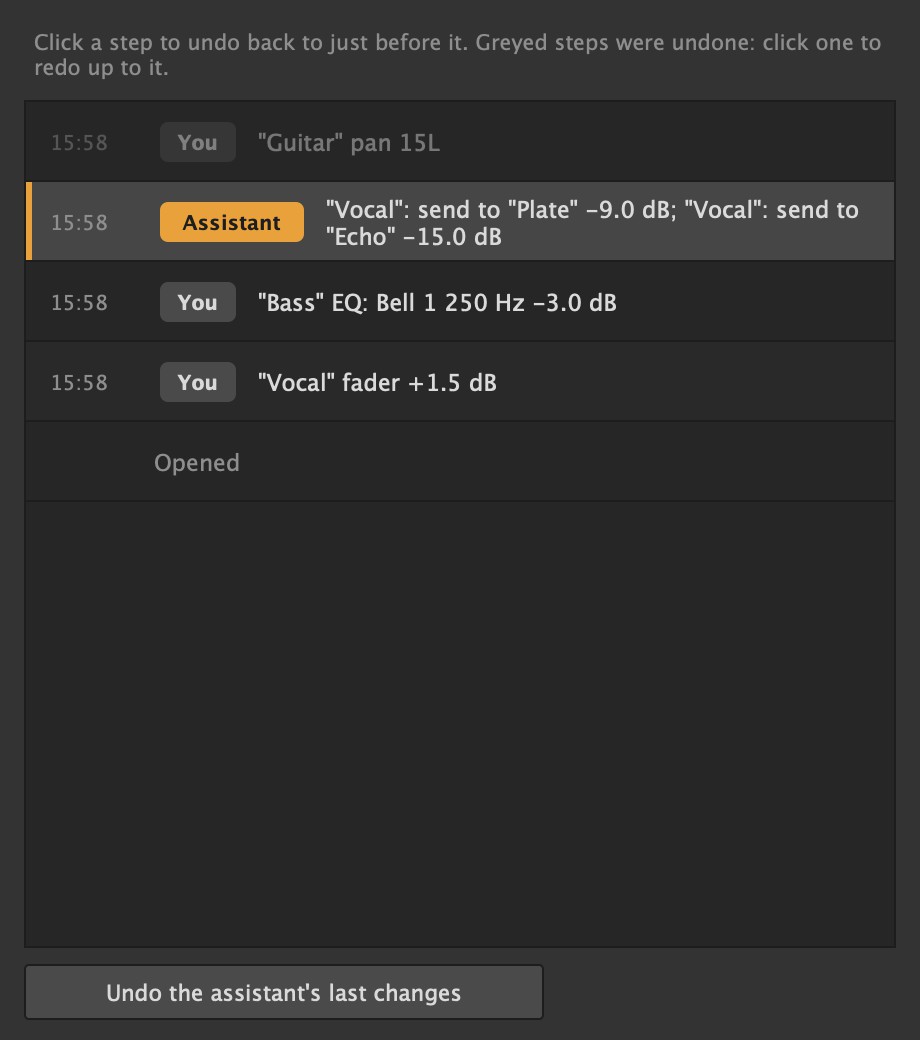
- Click a step to go back to just before it.
- Undo the assistant's last changes takes back the AI assistant's latest run in one go.