Record it, arrange it, mix it.
Lathe is a free DAW for Mac, Windows and Linux. It has an arrangement and a mixer, sends and returns, its own synths and effects, your VST3 plug-ins, and a way to hear what each change did before you keep it.
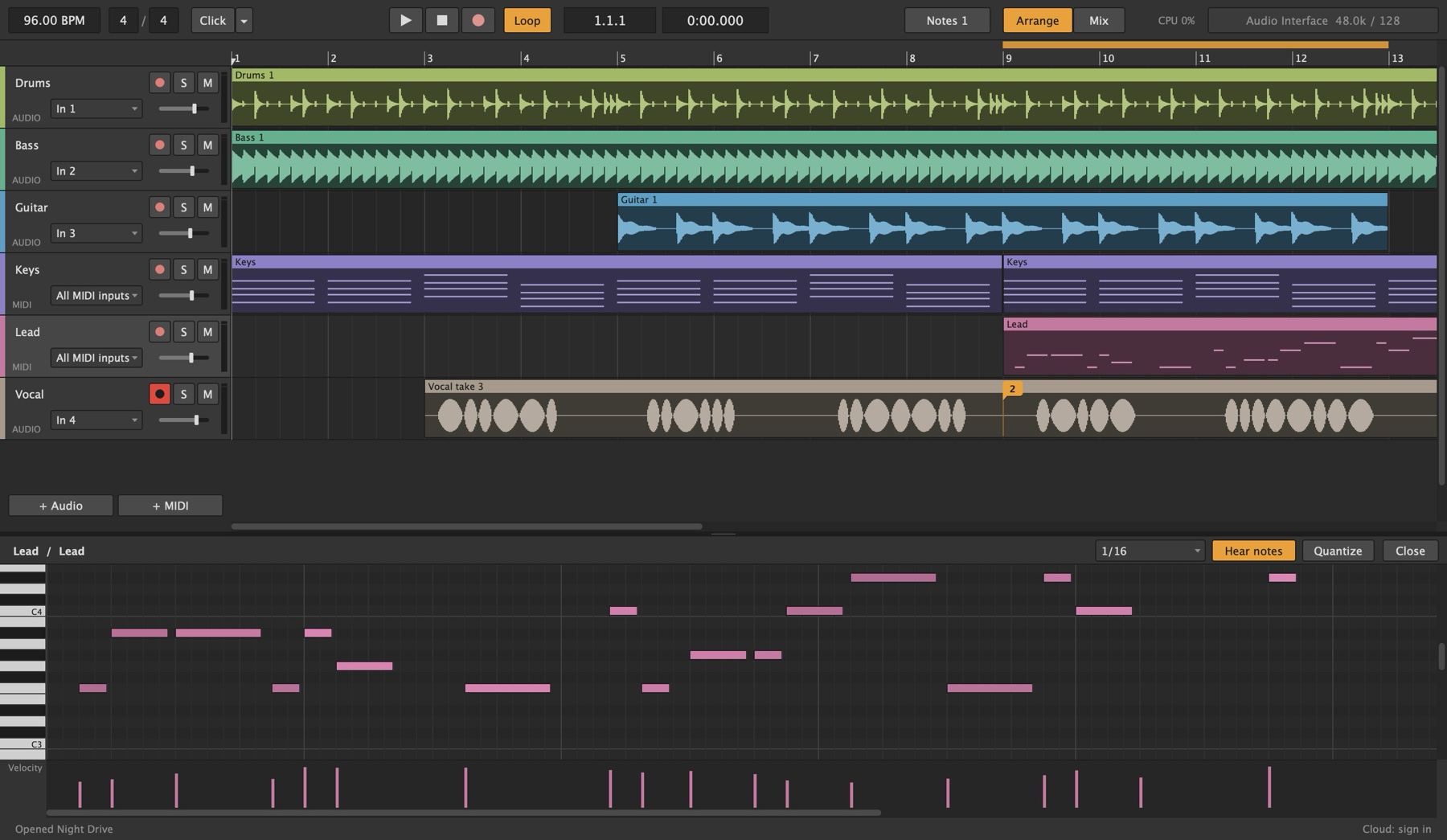
Clips on a timeline, notes in a piano roll.
Audio and MIDI tracks share one timeline. Move, copy, duplicate, split and join clips, and box-select a whole section to move it. Double-click a MIDI clip and its notes open underneath: draw, drag, transpose and quantize them, and hear each note as you place it.
Drag across the top of the ruler to set a loop, and press L to turn it on. Play the chorus until it's right, record over it, or export just those bars.
Recording.
Open a template, arm a track and press R. Lathe finds your interface and its inputs on the first launch.
- Takes land in timeLathe allows for your interface's round trip and every plug-in's delay, when you record and when you export.
- Count-inOne, two or four bars, with the inputs you armed already in your ears.
- Punch inPress record while the song plays and it starts recording right there. Undo brings back what was underneath.
- Any input, or another trackRecord a mono input, a stereo pair, or a synth with its effects as audio, played live.
- MIDI from anythingNotes, CC and pitch bend from any keyboard or controller, and out again to hardware.
- Your sample rate44.1 to 96 kHz. Every song keeps its own, and Lathe switches the interface to match.
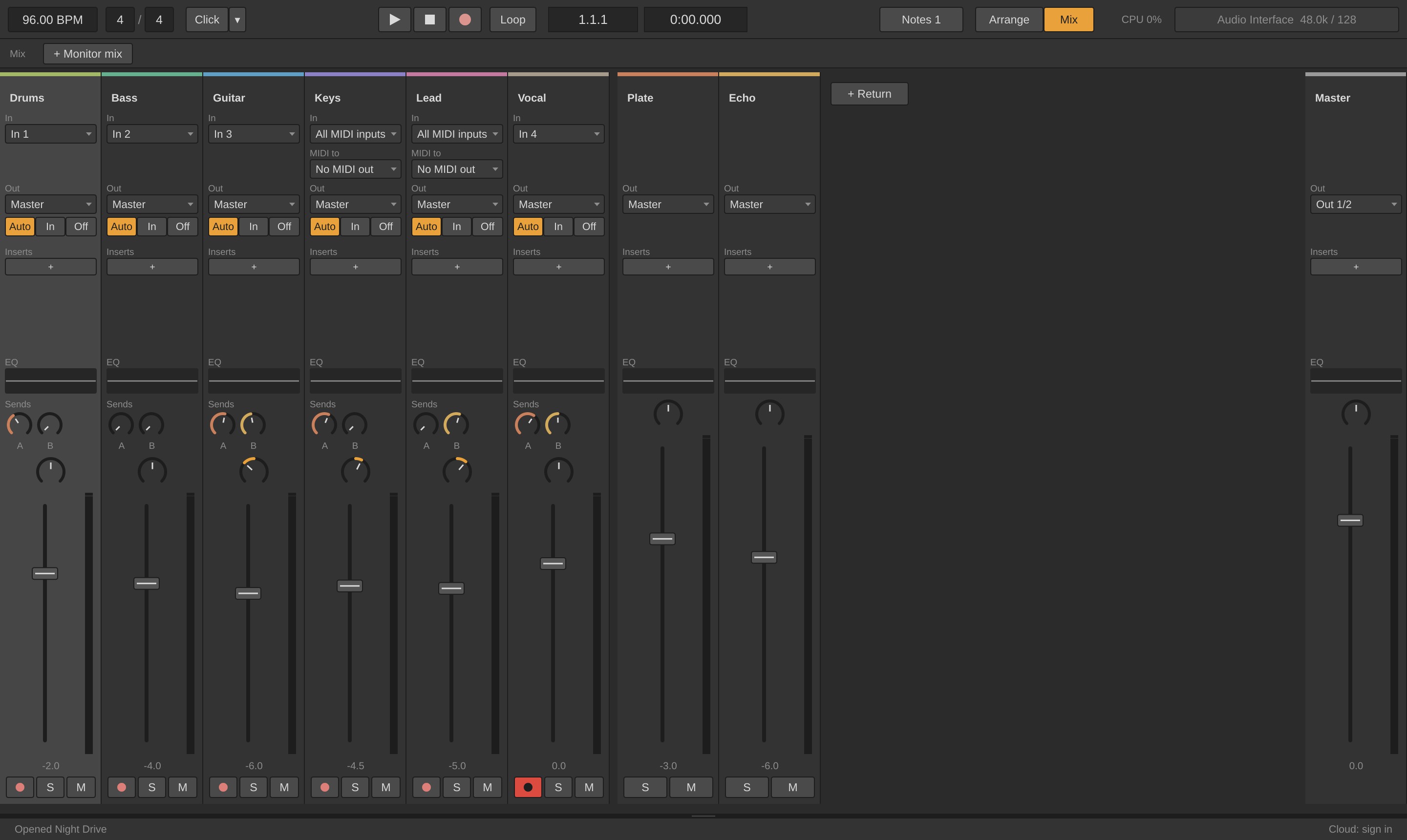
A mixer you can read at a glance.
Press Tab to swap the arrangement for the mixer. Every channel has its input, output, an EQ curve, a send to each return, pan and a fader.
Send the vocal to a plate and the guitar to a delay, and the returns mix them back in. Group the drums and give the group its own bus, for one compressor across the kit. Send a track straight to an interface output to re-amp it.
Everything the mix needs.
All of it is saved with the song, and with your templates.
- Sends and returnsA send knob for every return on every track, after the fader. Add as many returns as you like.
- Groups and group busesArm, solo, mute and collapse a group at once, or mix it through its own channel with plug-ins and a fader.
- An EQ on every channelSix bands, low cut to high cut, on every track, return and the master. Drag the points on the curve.
- A headphone mix for each playerMonitor mixes on their own outputs: more click for the drummer, more vocal for the singer, the main mix untouched.
- Its own click in each mixTurn the click off in the main mix and keep it in the drummer's ears.
- Routing to your gearAny track to any output pair, and back in through any input.
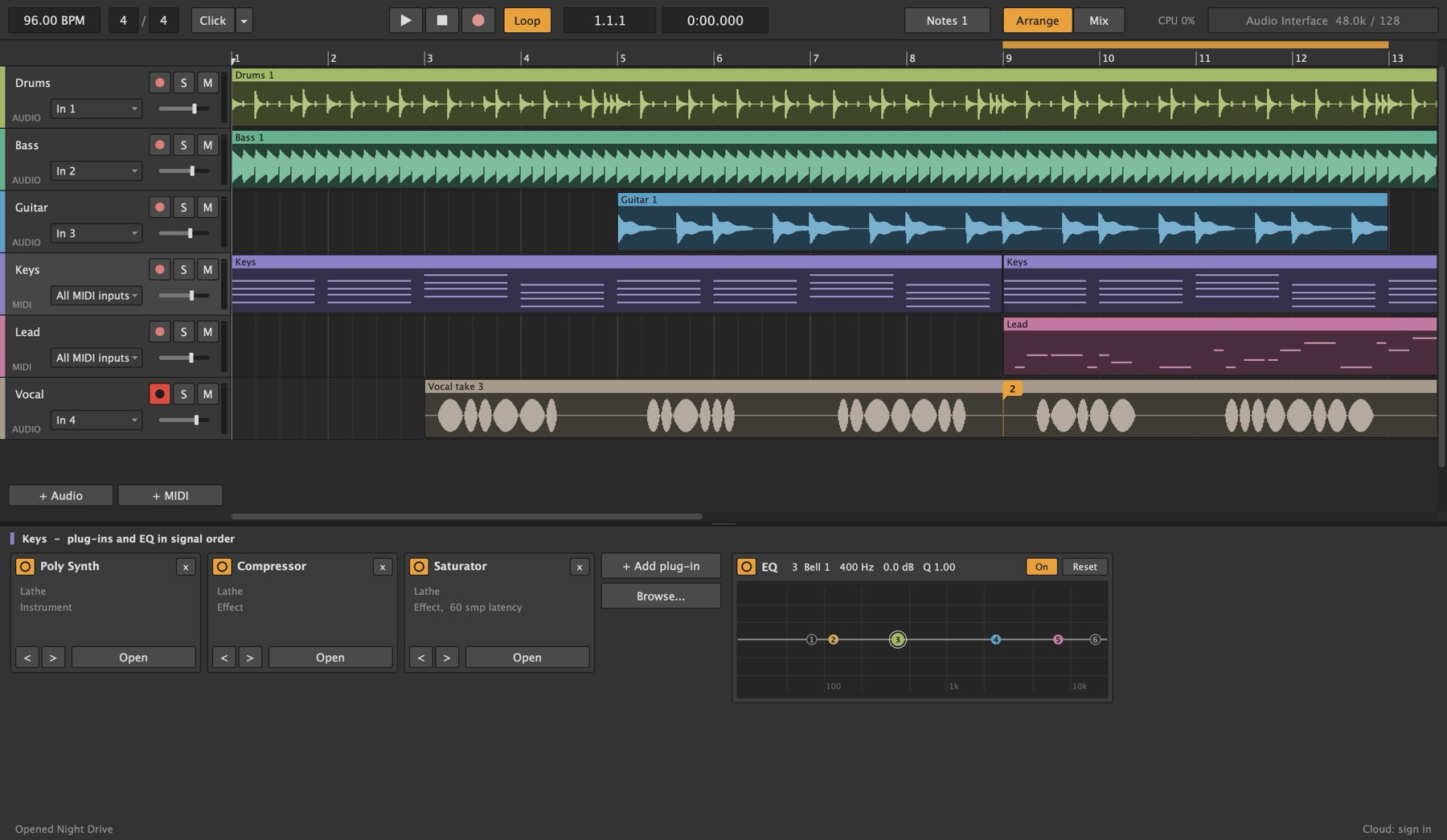
Make a song before you install a thing.
Lathe comes with its own synths, a drum machine and the effects most songs reach for. Select a track and its chain opens under the song, in the order the sound goes through it.
Each one has a few controls with plain names, and a short line on what each control does.
What's in the box.
Twelve devices, on every platform, saved with the song.
- Bass SynthA mono synth for basslines: saw, square or triangle, a sub, and glide.
- Poly SynthEight voices for pads, keys, brass and plucks.
- Multi Synth24 ways to make a sound: analog, FM, wavetables, chords, speech, strings and drums.
- ResonatorStrings, bells and struck bars that ring when you play them.
- DrumsKits in the style of the classic drum machines: 909, 808, 606 and 707.
- Random NotesMelodies and rhythms in time and in key, and it can loop what it played.
- ReverbRooms, a chamber, a hall, a plate and a spring.
- DelayClean, tape, analog and lo-fi echoes, in time with the song.
- CompressorGlue a bus, tame a vocal, squash the drums.
- SaturatorWarmth and grit: tape, tube or clipped.
- GrainsChops the sound into grains, then smears, scatters, pitches and freezes them.
- MasteringFinishes a mix to a loudness for streaming, download, CD or vinyl.
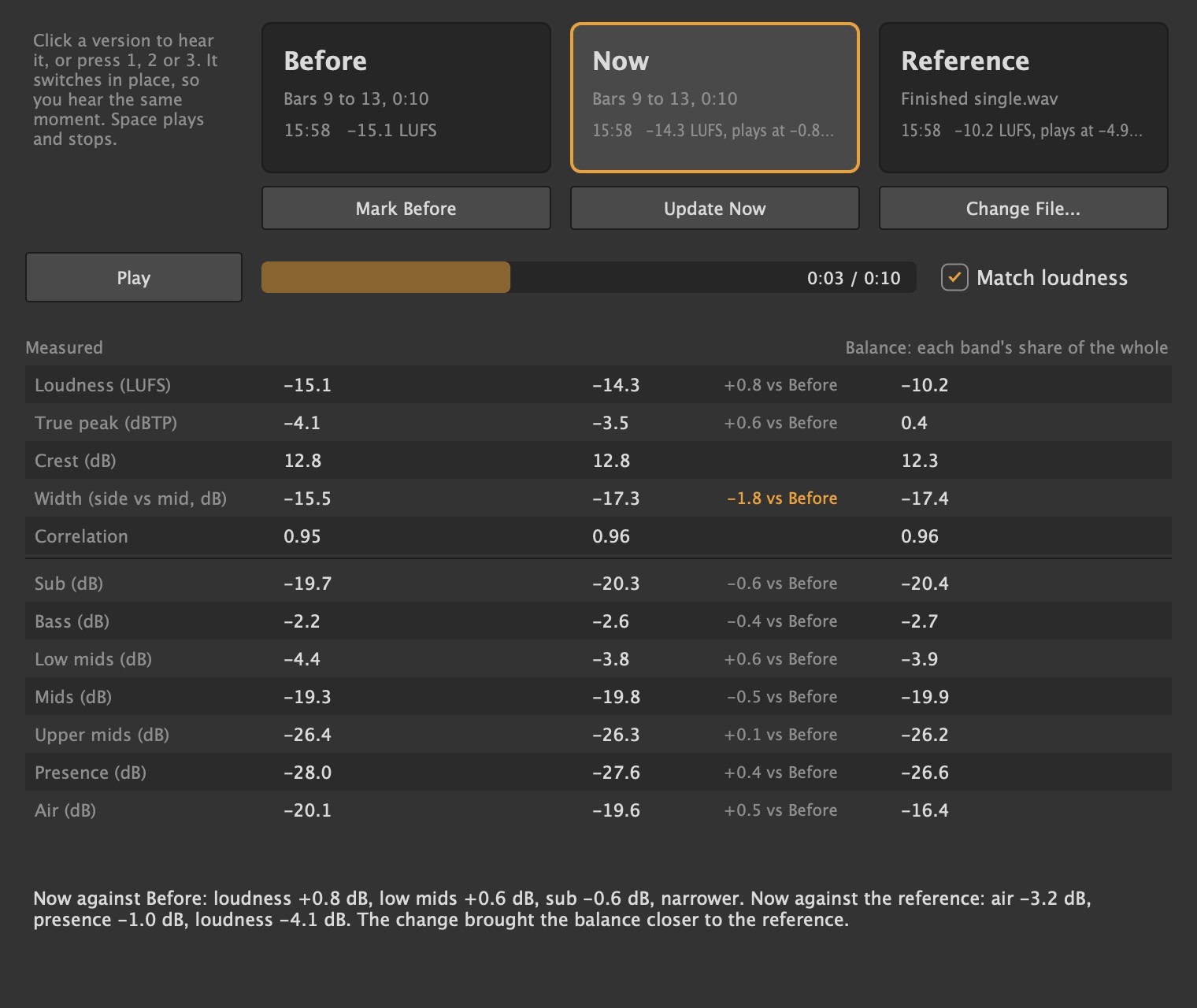
Hear what the change did.
Mark Before, work on the mix, then Update Now. Add a finished song you'd like yours to sit next to. Press 1, 2 or 3 to switch between them as they play, without losing your place.
Match loudness plays all three equally loud, so the louder one doesn't win for being louder. Under them, each is measured: loudness, true peak, width and the balance from sub to air, with a line on what changed most.
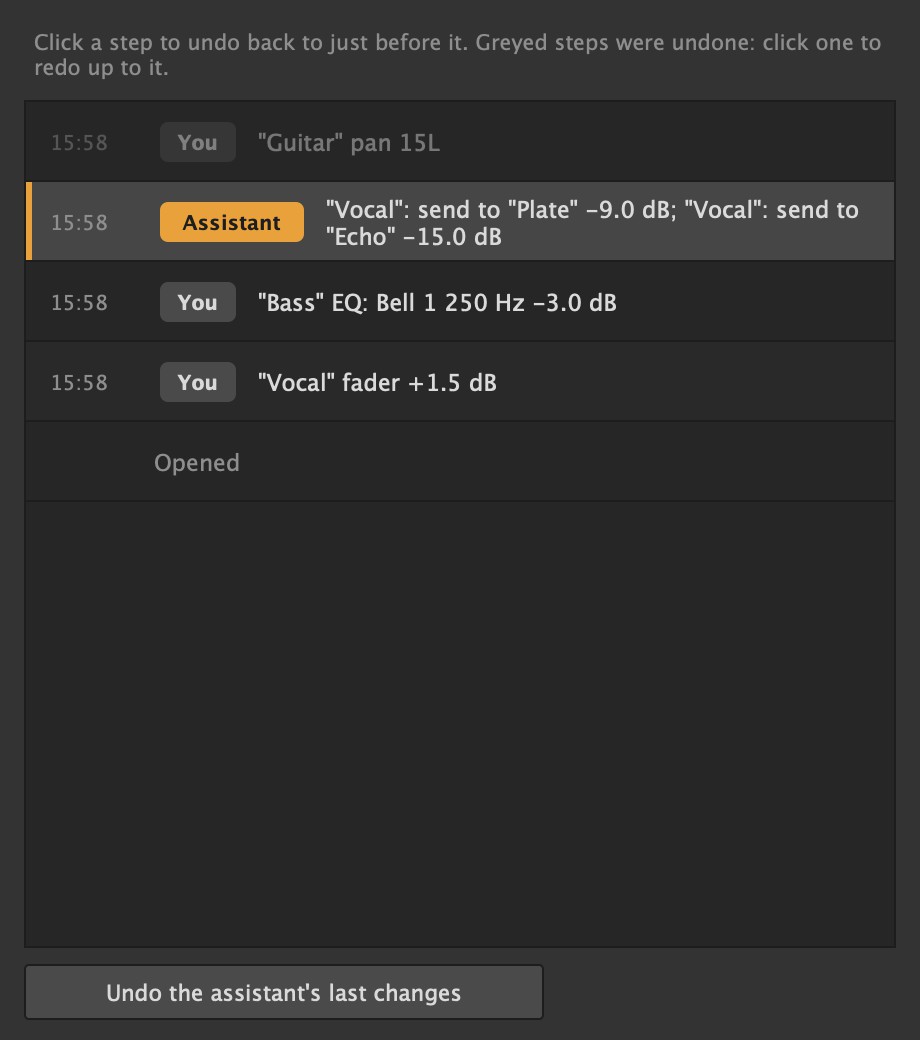
Every step, in plain words.
Undo covers the whole song: clips and notes, tracks, plug-ins, routing, tempo, and every fader, pan, send and EQ move. Undo History lists those steps with the time of each, and says whether you made it or the AI assistant did.
Click a step to go back to just before it. Steps you undid stay in the list, greyed, so you can go forward to them again.
Your plug-ins come along.
VST3 instruments and effects, on Mac, Windows and Linux.
- Checked before they loadLathe opens each new plug-in in a helper first. One that crashes is skipped and named, and Lathe carries on.
- Run SeparatelyA plug-in that crashes while you work can run in its own helper. If it falls over, the song keeps playing, and Restart brings it back with its settings.
- Every coreTracks are spread over your computer's cores, so a heavy synth doesn't hold up the rest.
- One browser for all of itCmd/Ctrl+B lists Lathe's own devices and every plug-in it found, with a search box and Effects and Instruments filters.
Take it anywhere.
A song is an ordinary folder of WAV files. Nothing about it needs Lathe to open.
- Mix and stems16-bit, 24-bit or 32-bit float WAV, the whole song or the loop, with a tail.
- Stems that line upOne file per track and return, to the sample, ready for another DAW or a mix engineer.
- One track at a timeRight-click a track to export only it, or only the tracks you selected.
- TemplatesSave a session's tracks, inputs, plug-ins, sends and headphone mixes, and start the next song from it.
Make something tonight.
Lathe is free, with no account needed.
Making it with other people? See Lathe Cloud.