A DAW for bands who record in different places.
Lathe is a free recorder for Mac, Windows and Linux. Lathe Cloud moves the song between bandmates and keeps every revision, and your AI assistant can read the session while you work.
- r5Second verse vocal, compedMara · 12 min ago
- r4Bass re-amped, mix for the labelDev · yesterday · kept
- r3Lead line for the chorusMara · 4 days ago
- r2Tempo up, bass and guitar inDev · 6 days ago
- r1Drums, first takeDev · 1 Nov
- Vocal new take, bars 33–48
- Vocal send to Plate −12 → −6 dB
- Keys fader −3.0 → −4.5 dB
Push your take. Your bandmate pulls it.
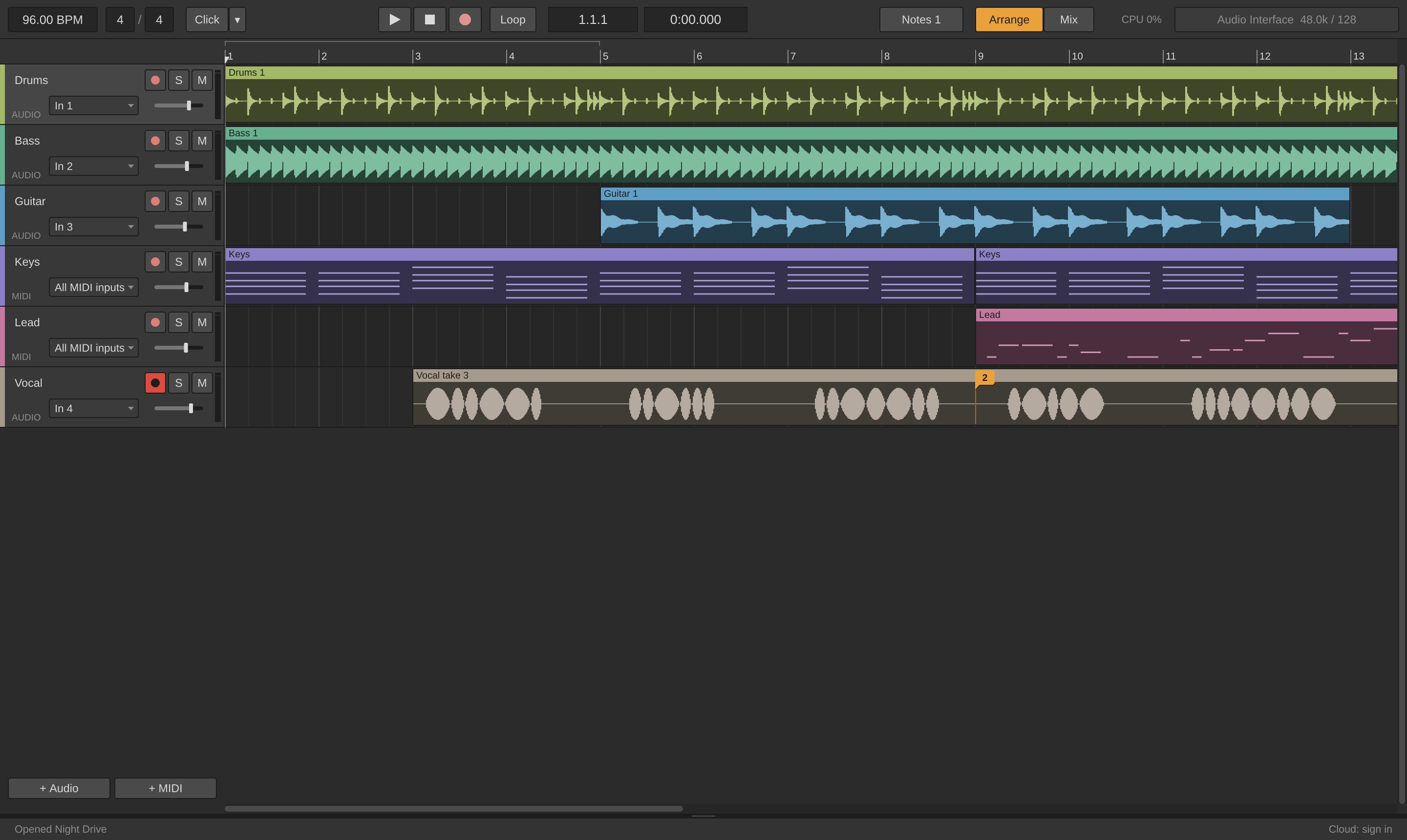
Everyone works on their own copy of the song and pushes when they're done. Each push lists what changed, and older revisions stay a click away. Keep the ones you sent out.
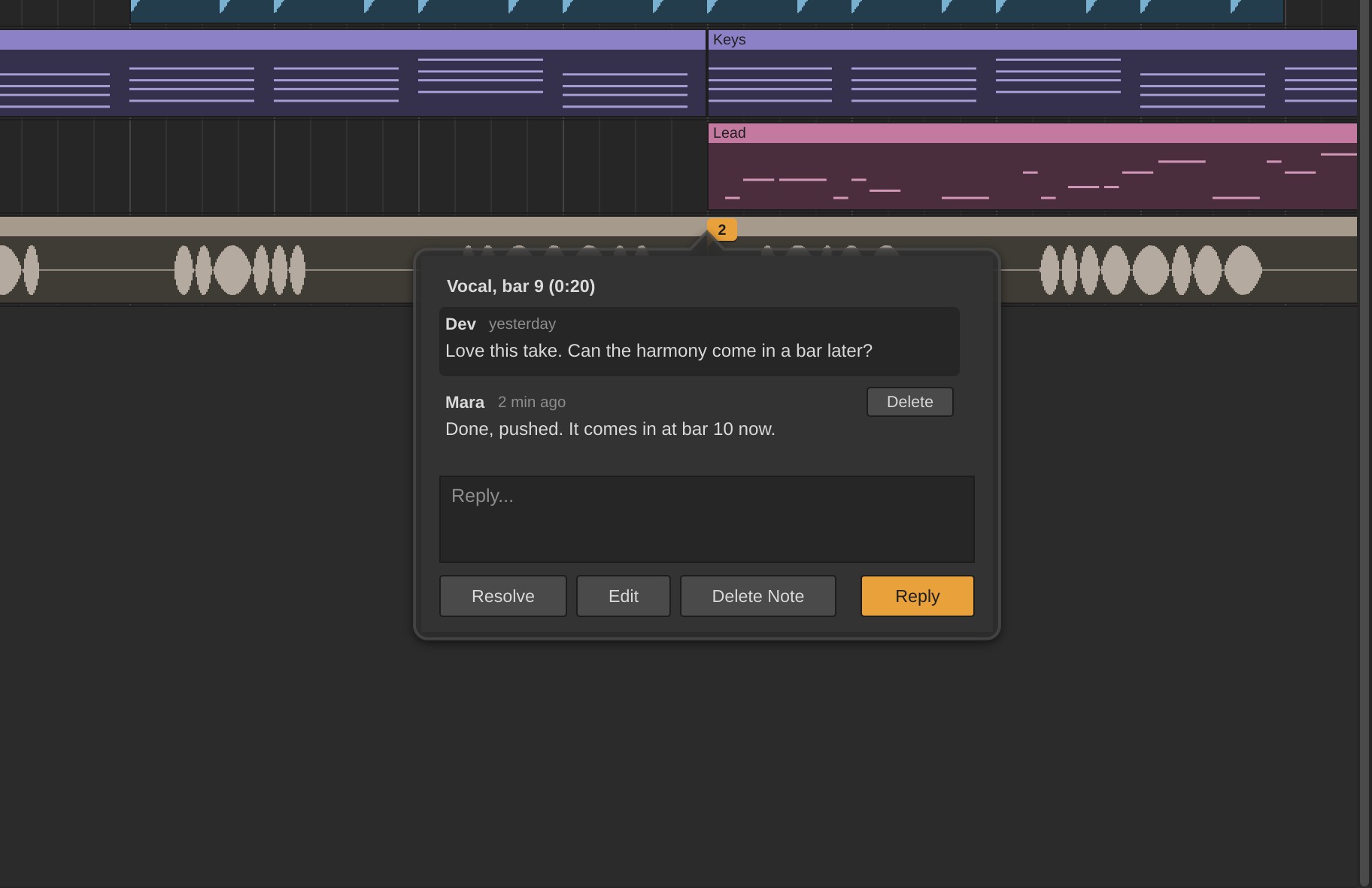
Talk about the song on the song.
Pin a note to a track at the moment you mean, and reply in a thread. Notes work offline too, and sync when you're back online.
In. The sequencer on MIDI 1 also replaces your clip's notes with its own,
so bypass it if you want to hear the clip.
Your AI assistant can read the session.
Switch on Lathe's MCP connection and your assistant sees the whole song as Lathe does: every track and how it's routed, every plug-in, clip and note. Ask why the synth went quiet, what the bass plays under the chorus, or to play from bar 17.
Works with Claude, Cursor, VS Code and other apps that support MCP.
Simple on purpose.
Lathe is for getting everyone's part onto the song, including the bandmate who has never opened a DAW. Open it, press record, push your take.
When the song is ready for the detailed work a big DAW is made for, export the stems and carry on there. It takes a few clicks.
- Open it and recordPick a template and press record. Your interface and its inputs are already set up.
- Takes land where you played themLathe allows for your interface's latency and your plug-ins' delay.
- Your plug-ins come alongVST3 instruments and effects, each one checked before it loads.
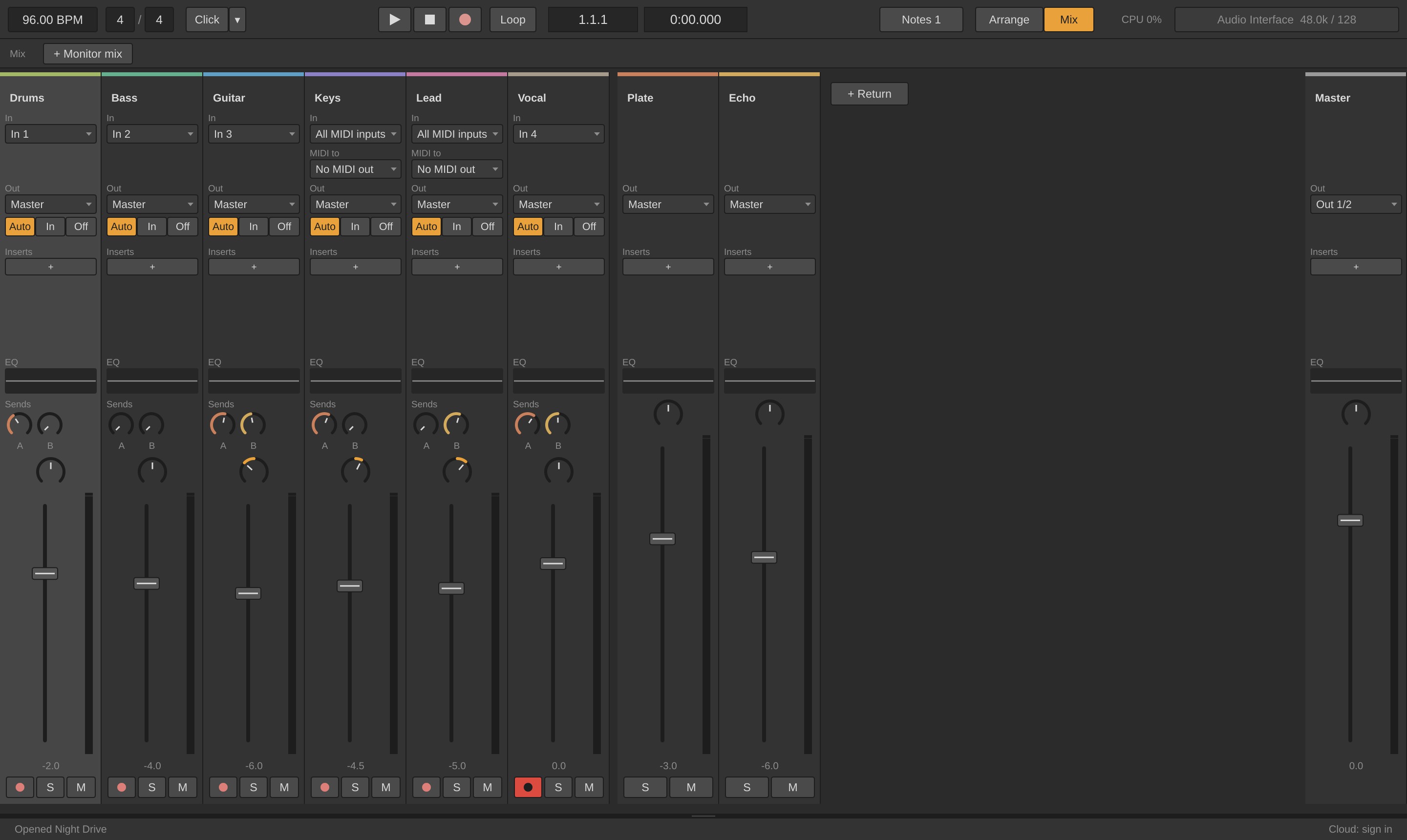
- A mixer you can read at a glanceFaders, sends to a couple of returns, and an EQ on every channel.
- A headphone mix for each playerMore click for the drummer, more vocal for the singer.
- Stems in a few clicksEvery track exported as WAV, lined up to the sample, ready for your DAW.
Download Lathe.
Free and open source, in open beta. No account needed.
Lathe updates itself from Options > Check for Updates. Source on GitHub (AGPLv3).
Lathe Cloud is free during the beta. Here's what comes after.
Whoever owns the songs pays. Bandmates they share with can use a free account. The recorder itself is free for good.
| Plan | Price | Your own songs | Revisions kept | Free bandmates |
|---|---|---|---|---|
| Free | $0 | Work on songs shared with you | – | – |
| Starter | $5 / mo | 5 GB a song, 50 GB in all | Newest 5, plus kept | 2 can edit |
| Pro | $10 / mo | 25 GB a song, 250 GB in all | Newest 20, plus kept | Any number |
Beta testers get Starter free while the beta runs, then their first three months of any plan free when paid plans start. Prices may change before launch.
Join the Lathe Cloud beta.
We're adding a few bands at a time. Leave your email and you'll get an account when there's room, with Starter free for as long as the beta runs.
Only want the recorder? Download it, no sign-up needed.
Questions.
Do I need Lathe Cloud to use Lathe?
No. The recorder works entirely on your computer. Lathe Cloud is for sharing songs.
What if I stop paying?
Your songs stay on your computer as ordinary folders of WAV files. Opening them never needs the cloud.
Which AI assistants work?
Any app that supports MCP and can run a local server, such as Claude Desktop, Claude Code, Cursor and VS Code.
Which plug-ins does it load?
VST3 instruments and effects on all three systems. Not Audio Units or VST2.
Does it replace my main DAW?
It doesn't have to. Record and share the song in Lathe, then export stems to finish it wherever you like.